| What Is Facial Recognition AI?Facial recognition AI is a software-based technology that uses deep learning models to detect human faces in images or video, extract unique facial features, and compare them against a database of known individuals to produce a match or identification result. When integrated with live camera feeds, it performs this process in real time, enabling automated access control, watchlist screening, attendance tracking, and identity verification without requiring a human operator to review each event manually. |
Facial recognition AI has moved from a narrow research application into a practical enterprise tool. Organizations across security, banking, hospitality, and industrial operations now deploy it to automate identity decisions that previously required manual checks, physical credentials, or dedicated staff. The question for most organizations is not whether facial recognition AI works, but how to deploy it accurately and at a scale that matches their operational environment.
This article explains how facial recognition AI works, what it can do across different deployment contexts, how AvidBeam's AvidFace platform delivers it, and what to consider when deploying it at enterprise scale.
What Is Facial Recognition AI?
Facial recognition AI applies a sequence of machine learning operations to a camera image or video frame. The process begins with face detection, which locates one or more human faces within the image. It then moves to feature extraction, where the system maps the geometric structure of each detected face into a numerical representation called a face embedding. Finally, it performs matching, comparing the face embedding against a database of stored embeddings to find the closest match.
Modern facial recognition systems use deep neural networks for both feature extraction and matching. These networks are trained on large datasets of labeled face images, allowing them to extract distinguishing features that remain consistent across variations in lighting, angle, expression, and partial occlusion. The result is a matching system that works reliably in real-world conditions rather than only in controlled laboratory settings.
Detection vs. Recognition vs. Identification
These three terms are often used interchangeably but describe different stages of the process. Face detection simply locates a face in an image: it confirms a face is present but provides no information about whose face it is. Face recognition takes a detected face and determines whether it matches a known individual in a database. Face identification assigns a specific identity to a detected face from a roster of enrolled individuals.
In enterprise deployments, the distinction matters because different use cases require different stages. A crowd monitoring system may only need detection to count faces. An access control system needs recognition to confirm an enrolled employee. A security system screening against a watchlist needs identification to flag a specific individual. AvidBeam's AvidFace platform supports all three stages and applies the appropriate process for each configured use case.
How the Matching Process Works
When a face is detected in a live camera feed, the AvidFace engine extracts the face embedding and compares it against the enrolled database using a similarity metric. If the similarity score exceeds a configured confidence threshold, the system generates a match and triggers the associated response. If the score falls below the threshold, the system logs the detection as unrecognized and either raises an alert or allows the event to pass, depending on the configured rule for that camera location.
The confidence threshold is a critical deployment parameter. A higher threshold reduces false positives but increases the risk of failing to match a known individual. A lower threshold increases the match rate but also increases false positive alerts. AvidFace allows operators to configure the threshold independently for each deployment context, so a high-security zone can require a stricter match than a VIP recognition application in a hospitality setting.
What Facial Recognition AI Can Do
Facial recognition AI supports a broad range of operational applications. Each use case applies the same underlying technology but configures it differently in terms of database content, confidence thresholds, and response actions. The table below covers the most common applications across enterprise and security deployments.
| Use Case | What the System Does | Response Generated | Industry |
| Access Control | Matches face against approved list to grant or deny entry | Door or gate opens or stays locked | Enterprise, government, industrial |
| Watchlist Matching | Compares detected face against flagged individuals database | Instant security alert, operator notification | Security, law enforcement, events |
| VIP Recognition | Identifies known guests or high-value customers on arrival | Staff notification, personalized service trigger | Hospitality, retail, banking |
| Workforce Attendance | Logs verified identity of employees entering or exiting | Attendance record created, payroll data updated | Manufacturing, industrial, campuses |
| Fraud Detection | Verifies customer identity against account holder photograph | Transaction flagged or blocked if mismatch detected | Banking, financial services |
| Tailgating Prevention | Detects multiple people passing through a single entry event | Alert raised, access log updated | Data centers, secure facilities |
| Emergency Mustering | Verifies identity of personnel at evacuation assembly points | Muster report generated, missing persons flagged | Oil and gas, industrial |
| Post-Incident Investigation | Searches recorded footage for appearances of a specific face | Timestamped clip list returned for review | Security operations, law enforcement |
Access Control
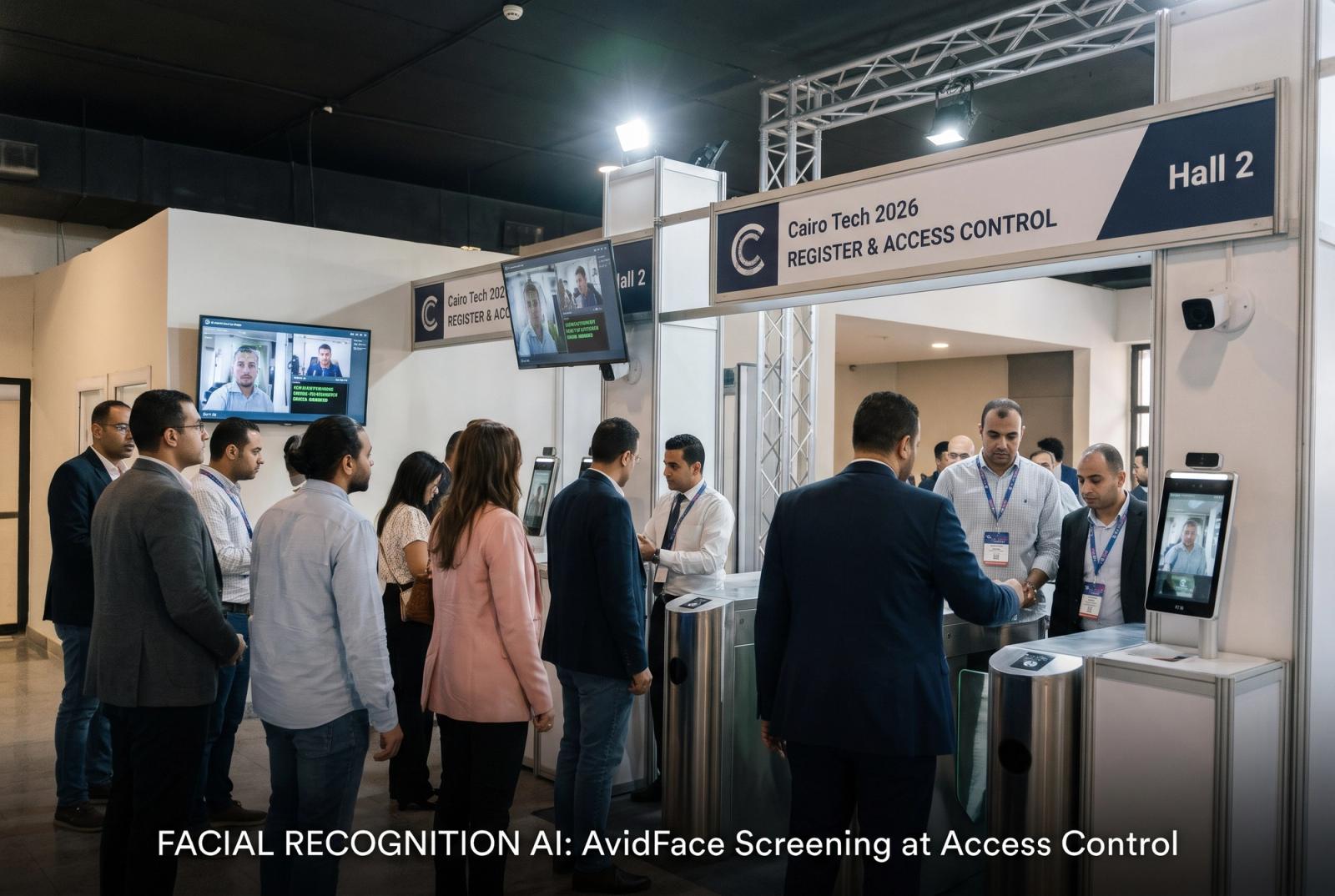
Access control is the most widely deployed application of facial recognition AI in enterprise environments. The system replaces physical credentials such as keycards or PIN codes with a face match against an enrolled employee or approved visitor database. When a recognized face is detected at an entry point, the system sends a signal to open the door or gate. When an unrecognized face appears, the system keeps the barrier closed and can generate an alert.
Facial recognition access control removes the security gap created by shared or lost credentials. A keycard can be borrowed or stolen. A face cannot. It also eliminates the operational overhead of issuing, tracking, and revoking physical credentials across a large workforce, and it produces a complete, timestamped access log without requiring any action from the person entering.
Watchlist Matching and Security Alerts
Watchlist matching applies facial recognition AI to a security use case: comparing detected faces against a database of individuals flagged for security reasons, such as known threats, banned individuals, or persons of interest in an ongoing investigation. When a match is detected, the system generates an immediate alert to security personnel with the matched identity, the camera location, and a captured image for verification.
AvidFace achieves over 90% facial recognition accuracy under standard deployment conditions. This level of accuracy, combined with real-time processing and immediate alerting, allows security teams to act on a watchlist hit while the individual is still on site rather than discovering the match during a post-incident review.
For more on what facial recognition AI detects and how it supports security operations, see Facial Recognition for Security: What It Catches.
VIP and Customer Recognition
VIP recognition applies facial recognition AI to a customer experience use case. Enrolled individuals, such as loyalty program members, repeat customers, or high-value guests, are matched when they enter a venue or approach a service point. The system notifies relevant staff in real time, allowing a personalized greeting or service response before the guest needs to identify themselves.
In banking, this application allows branch staff to recognize a high-value client on arrival and prepare the appropriate service. In hospitality, it allows front desk staff to greet a returning guest by name. In retail, it allows sales staff to be notified when a known high-value customer enters the store. All of these responses are triggered automatically by the recognition event, requiring no manual lookup or credential presentation from the customer.
How AvidBeam's AvidFace Works
AvidBeam's AvidFace module runs as part of the company's server-based AI video analytics platform. Cameras stream live video to a central analytics server, where the AvidFace engine processes each frame, detects faces, extracts embeddings, and runs matches against configured databases. Results are delivered to the operator dashboard or integrated video management system (VMS) in real time.
Server-Based Architecture
AvidFace runs on a central server rather than on the camera itself. This design choice has several advantages for enterprise deployments. It allows the recognition engine to process multiple camera feeds simultaneously without being constrained by the hardware limitations of individual cameras. It allows the enrolled database to be updated centrally, so a new enrollment or a watchlist addition takes effect across all cameras immediately. And it allows multiple detection models to run on the same feed, so AvidFace can operate alongside AvidGuard's behavioral detection or AvidAuto's license plate recognition on the same camera stream.
The server-based architecture also enables integration with Milestone, NetworkOptix, and Genetec VMS platforms, embedding facial recognition events into the operator's existing workflow. For more on what server-based deployment enables, see Server-Based Video Analytics.
Accuracy and Performance
AvidFace achieves over 90% facial recognition accuracy under standard deployment conditions. Performance is consistent across variations in lighting, partial occlusion, and moderate angle changes. The system supports simultaneous matching against large enrolled databases, maintaining real-time processing speeds even as the database scales to tens of thousands of enrolled individuals.
AvidFace works with any ONVIF (Open Network Video Interface Forum)-compliant camera already installed in the environment. Camera resolution and placement affect recognition performance, and AvidBeam's deployment guidelines specify the minimum camera specifications and optimal placement parameters for each use case. Organizations do not need to replace existing cameras to deploy AvidFace, though camera upgrades at specific locations may be recommended to achieve optimal accuracy in demanding conditions.
Where Facial Recognition AI Is Deployed
Facial recognition AI applies across a wide range of industries and operational contexts. The table below maps the most common deployment environments to their primary use cases, the AvidBeam module involved, and the outcome the deployment delivers.
| Industry | Primary Application | AvidBeam Module | Key Outcome |
| Government and Defense | Perimeter access, identity verification, watchlist screening | AvidFace | Threat identification, access security |
| Banking and Finance | ATM fraud prevention, branch identity verification, VIP recognition | AvidFace | Fraud reduction, customer experience |
| Hospitality | VIP guest recognition, staff access, incident tracking | AvidFace | Personalized service, security improvement |
| Manufacturing and Industrial | Workforce attendance, zone access, unauthorized entry | AvidFace | Accurate attendance records, controlled access |
| Healthcare | Staff and patient identification, controlled area access | AvidFace | Safety, compliance, care coordination |
| Retail | VIP customer recognition, repeat offender detection | AvidFace | Loss prevention, customer experience |
| Events and Venues | Ticket verification, watchlist screening, crowd control | AvidFace | Secure entry, threat identification |
| Oil and Gas | Zone access, emergency mustering, contractor verification | AvidFace | Safety compliance, incident response |
Accuracy, Deployment Quality, and Responsible Use
Facial recognition AI performs differently depending on how it is deployed. Camera placement, lighting conditions, enrollment image quality, and confidence threshold configuration all affect accuracy in practice. Understanding these factors before deployment avoids the most common performance problems.
Enrollment Database Quality
The accuracy of a facial recognition system depends on the quality of the face images stored in the enrolled database. Images should be captured under controlled lighting conditions, with the face clearly visible and unobstructed. Poor enrollment images, such as low-resolution photographs or images taken at extreme angles, reduce matching accuracy even when the recognition engine itself is performing correctly. AvidFace includes enrollment quality checks that flag images that do not meet the minimum standards for reliable recognition.
Camera Placement and Coverage
Facial recognition accuracy is sensitive to the angle at which a face appears in the camera frame. Front-facing or near-front-facing views produce the highest match rates. Cameras placed at significant angles to the direction of travel, at heights that produce a steep downward view of faces, or in locations with strong backlight will reduce recognition accuracy. AvidBeam's deployment guidelines specify optimal camera height, angle, and coverage zone for each application type.
Threshold Configuration by Use Case
Different use cases require different accuracy trade-offs. A security watchlist application where a false negative means a threat goes undetected may warrant a lower confidence threshold to maximize match rates, accepting a higher rate of false positive alerts that security staff then verify manually. An access control application where a false positive means an unauthorized person gains entry may warrant a higher threshold, accepting a slightly higher rate of enrollment failures that require a secondary verification step. AvidFace supports independent threshold configuration for each camera and use case.
Frequently Asked Questions
What is facial recognition AI?
Facial recognition AI uses deep learning to detect faces in camera feeds, extract unique facial features, and match them against a database of known individuals to produce identity decisions in real time.
How accurate is AvidBeam's facial recognition?
AvidFace achieves over 90% facial recognition accuracy under standard deployment conditions.
Does facial recognition AI require new cameras?
No. AvidFace works with any ONVIF-compliant camera already installed; camera upgrades at specific locations may be recommended to optimize accuracy in demanding environments.
How is a facial recognition database enrolled?
Individuals are enrolled by submitting a face image that meets the system's quality standards; AvidFace includes enrollment quality checks to flag images that do not meet minimum requirements.
Can facial recognition AI run on the same camera as other detection types?
Yes. AvidBeam's server-based architecture runs AvidFace alongside behavioral, PPE, and license plate detection models simultaneously on the same camera feed.
What happens when a face is not recognized?
Depending on the configured rule, an unrecognized face triggers an alert, keeps a barrier closed, or is logged as an unrecognized entry event for review.
How quickly does the system generate a match alert?
AvidFace processes live video and delivers match results in real time, with alert generation occurring within seconds of a face appearing in the camera frame.
Can the enrolled database be updated without on-site camera access?
Yes. Because AvidFace is server-based, database updates take effect immediately across all connected cameras from a central management interface.
AvidBeam's facial recognition AI is delivered through AvidFace, deployed across government facilities, banking environments, hospitality properties, industrial sites, and large-scale events across the Middle East and internationally.
| See AvidFace Facial Recognition AI in ActionAvidBeam's AvidFace delivers over 90% facial recognition accuracy on existing cameras across access control, security, and operational intelligence deployments. Request a live demo.Request a Demo at avidbeam.com/contact |